TouchpadSwipeTrigger
Inherits |
|
Action events |
|
Finger count range |
1-4 |
Incompatible with |
|
Type |
Motion trigger (delta based on distance) |
Straight motion of all fingers at a particular angle.
Configuration
Properties
Either angle or direction must be set.
Property |
Type |
Description |
Default |
|---|---|---|---|
angle |
range(float) |
Custom angle range. See the Angle ranges section below. Format: Mutually exclusive with |
|
direction |
enum(left, right, up, down, left_right, up_down, left_up, left_down, right_up, right_down, left_up_right_down, left_down_right_up, any) |
Predefined direction.
For bidirectional values, the first direction in the enum will always have a negative delta, while the second one will have a positive one. The Mutually exclusive with |
|
bidirectional |
bool |
Allow motion in the angle range opposite to the one specified in the This property has no effect if a predefined direction is used. |
|
Description
The direction is determined when the motion threshold is reached, allowing for on: begin and on: update actions. In case of issues regarding direction detection, create a device rule that sets the device’s motion threshold property.
Note
The device’s size ratio has no effect on the angle.
Touchpads have three separate motion thresholds, depending on the current finger count.
If swipe triggers are active and the motion angle changes, but none of the active triggers acccept it, they are cancelled and all swipe triggers are activated again, allowing for chaining multiple triggers together.
Angle ranges
0° - right, 90° - up, 180° - left, 270° - down
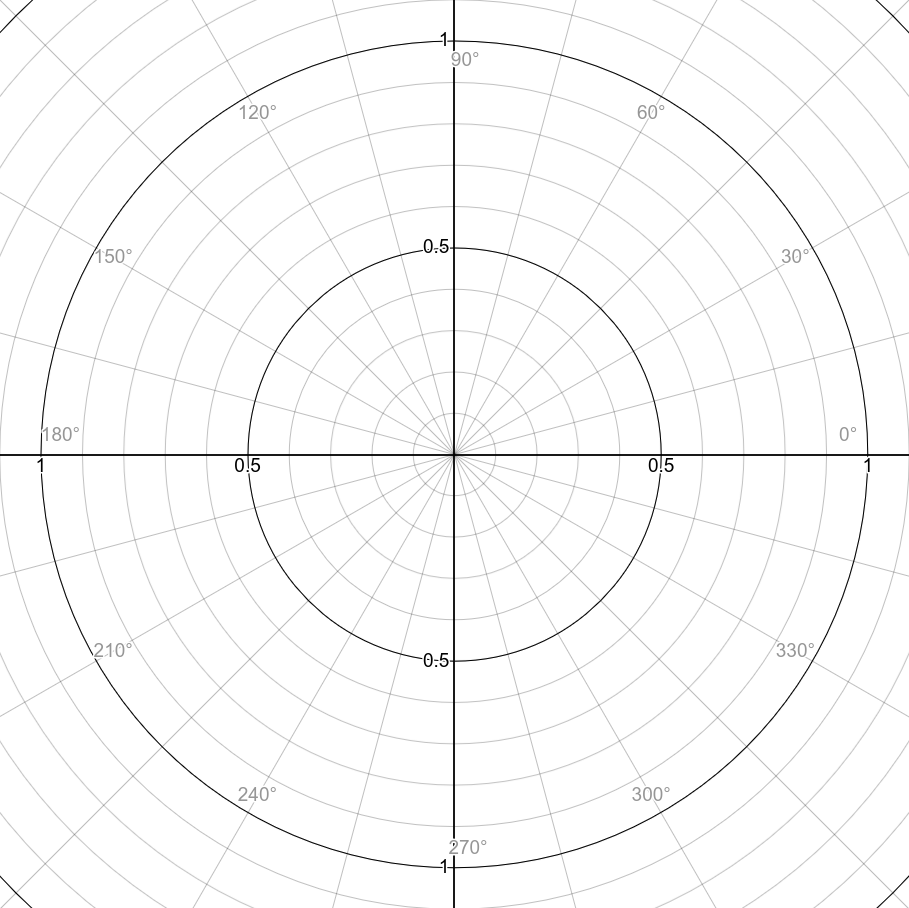
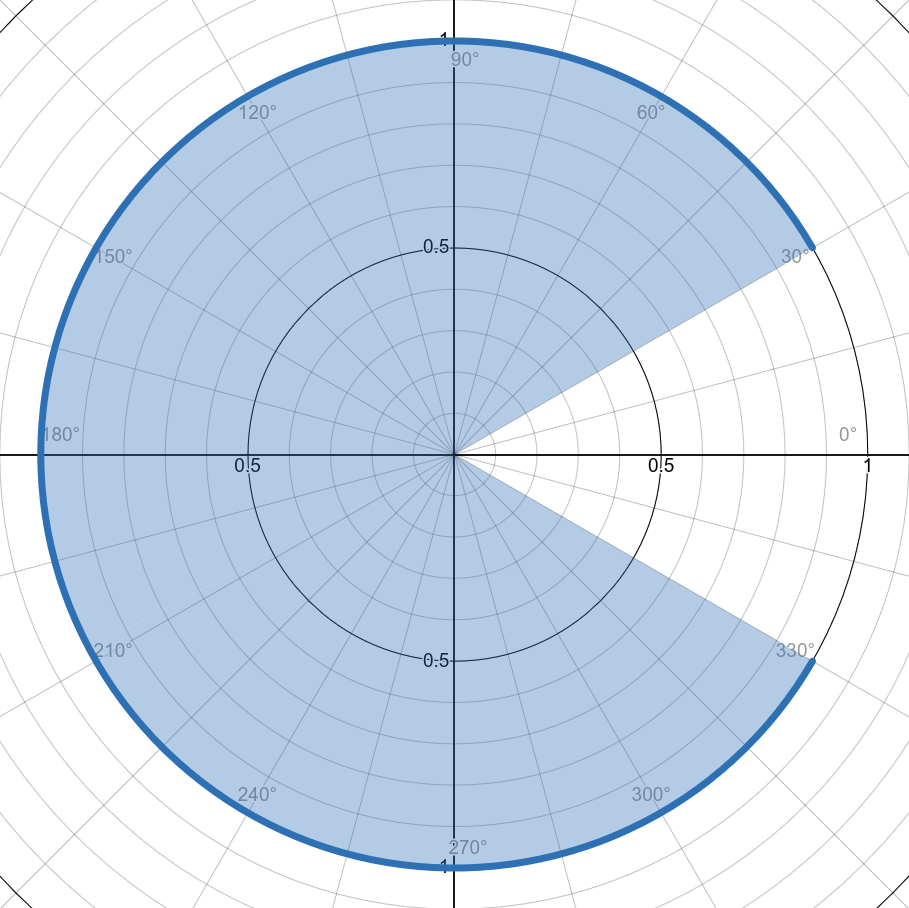
If a < b, the range includes values where x >= a and x <= b. Example for 30-330:
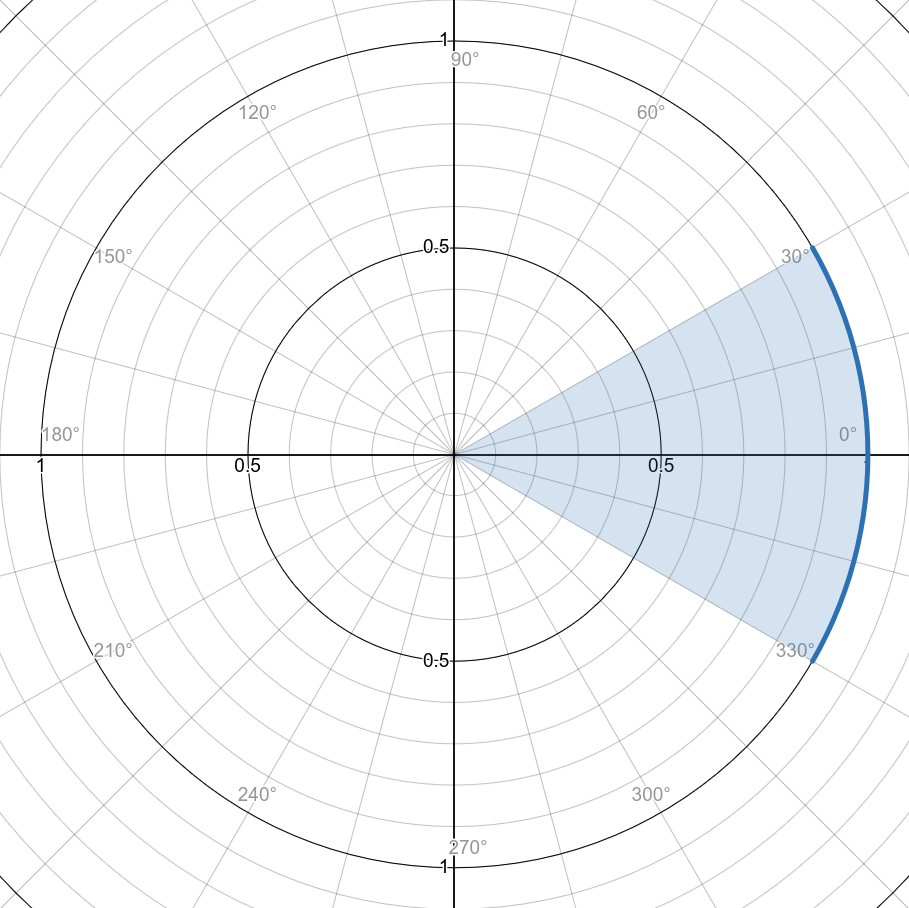
If a > b, the range includes values where x >= a or x <= b. Example for 330-30:
For 330-30, the opposite angle range (red) is 150-210:
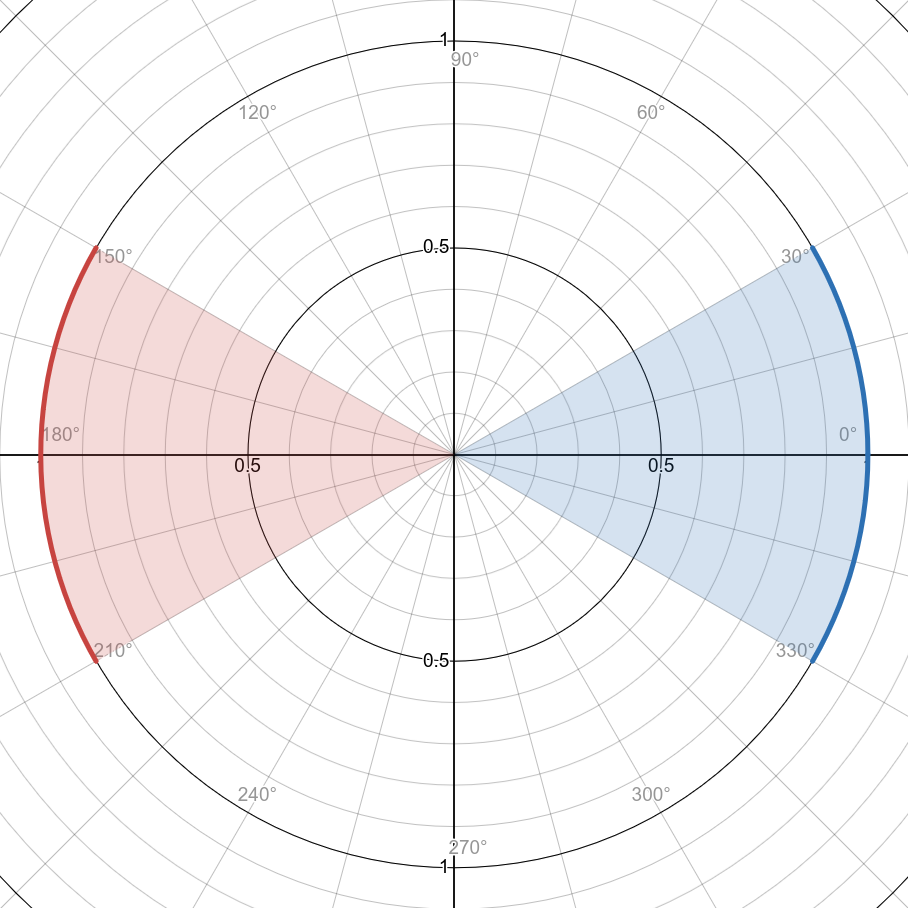
In the case of overlapping angle ranges, the normal one takes priority over the opposite one.
Restoring the pre-0.9 angle tolerances
Prior to v0.9, the left, right, up, down, left_right and up_down directions had an angle tolerance of 45°, which was later changed to
20° in order to make space for diagonal directions. To restore the old behavior and disable diagonal gestures, set the swipe.angle_tolerance device
property to 45 using a device rule:
device_rules:
  - conditions: $touchpad
    swipe:
      angle_tolerance: 45